Hello!
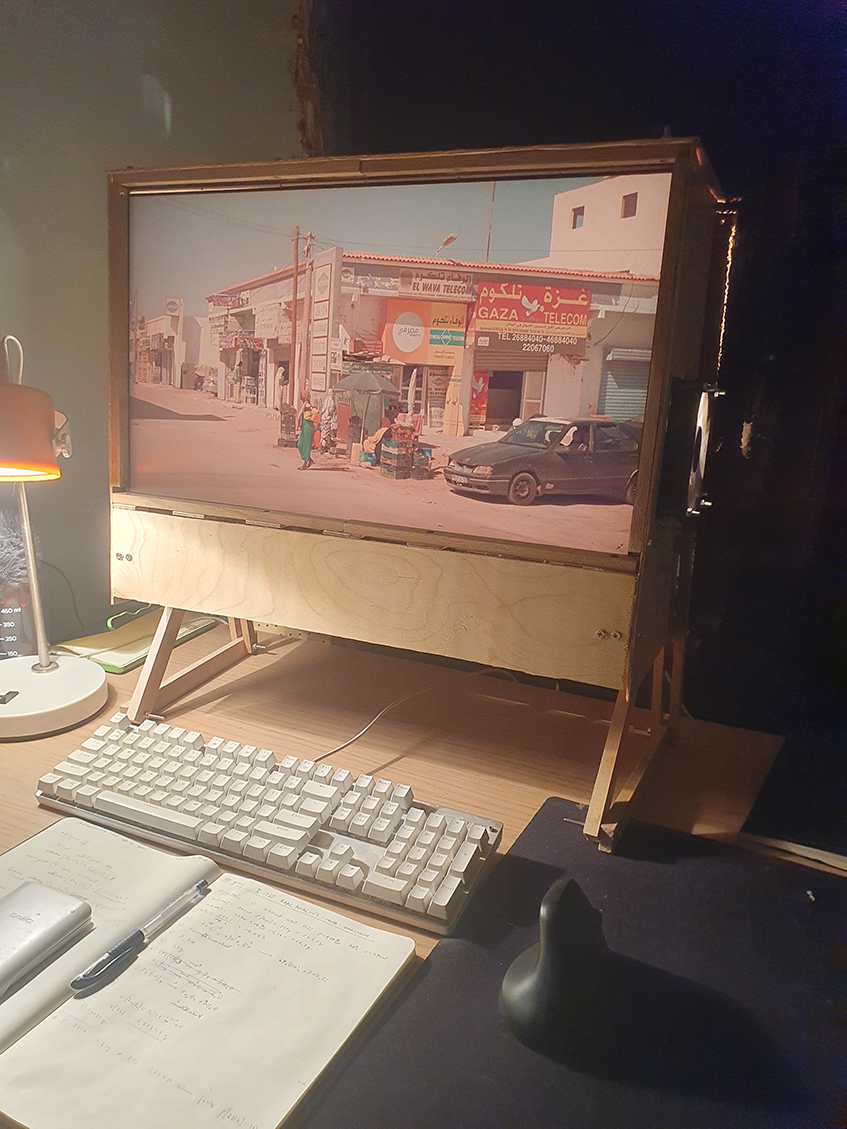
This is going to be report on the process I went through building my own incandescent monitor. It’s not really a guide. This is the finished monitor. I have used it for 6 months now.
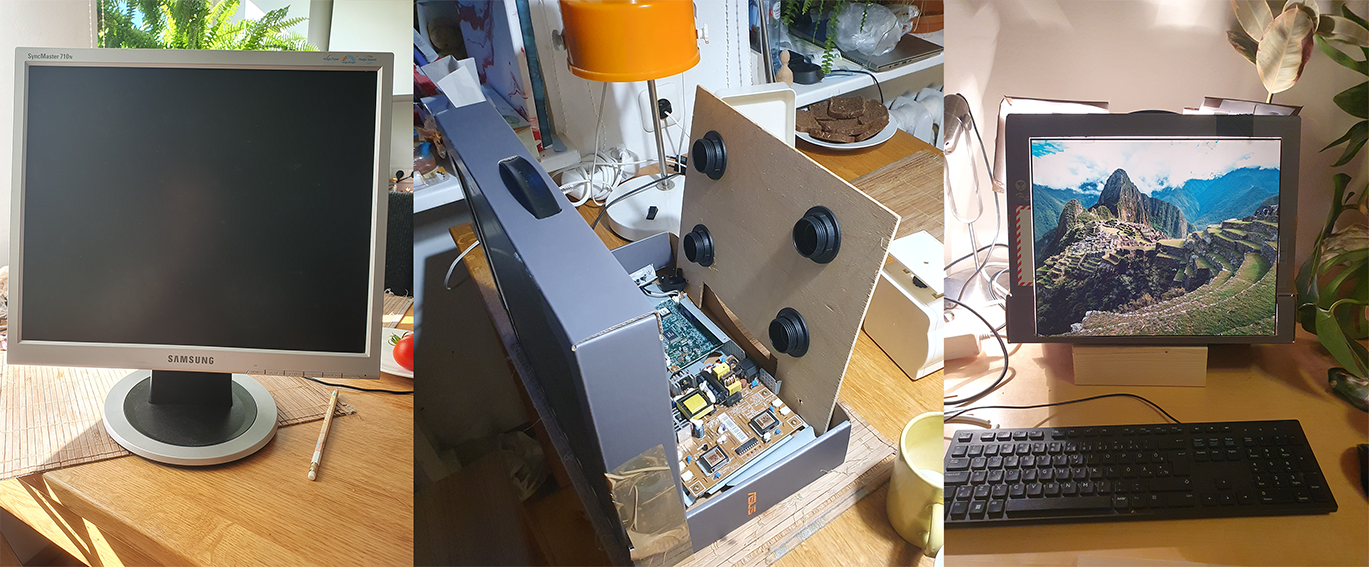
Mesmerized by the idea of an incandescent backlit monitor I set out to build one for myself. To test if the idea had enough merit to try and build a proper one I first made one out of a cardboard box. This came out ok and I liked the effect so I kept going.
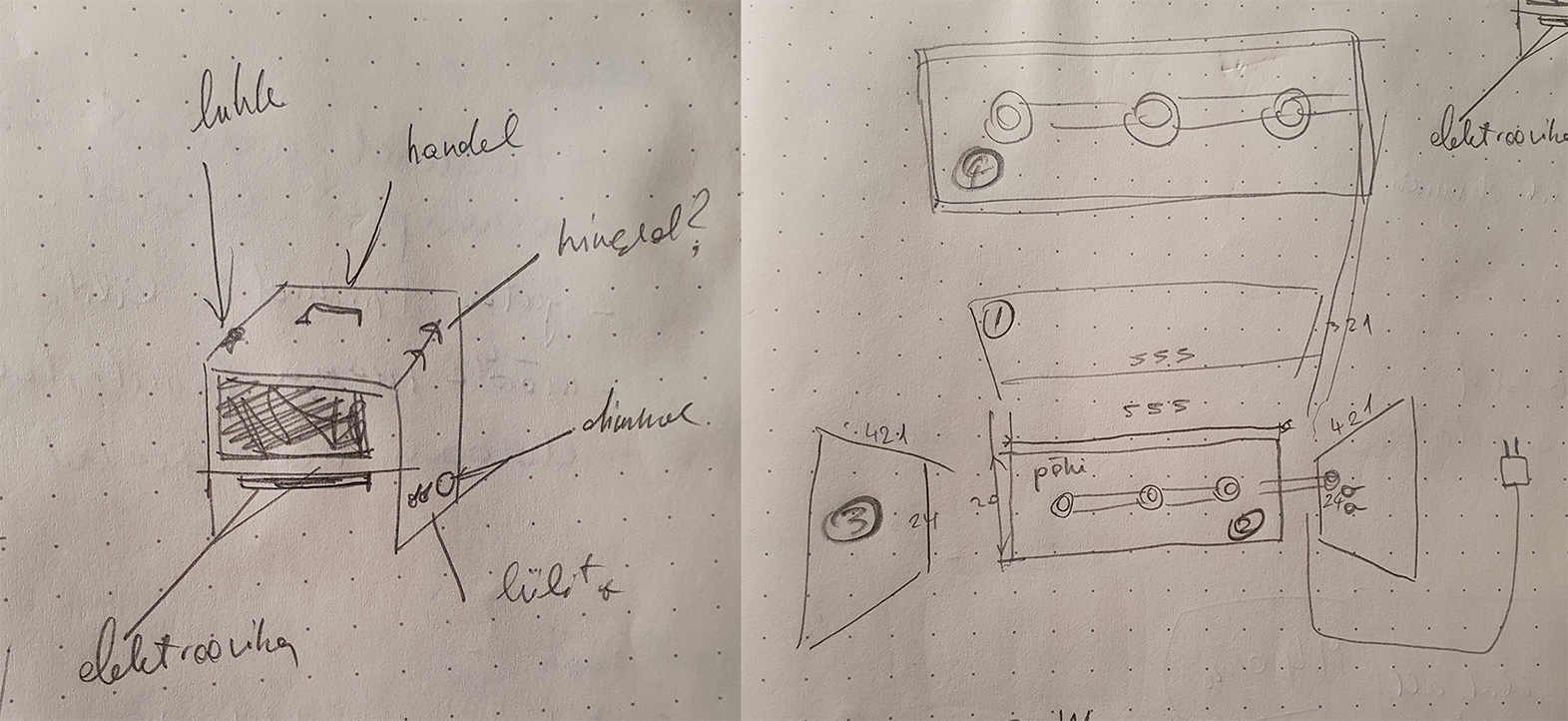
My idea was to build a simple box out of plywood with two seams holding the LCD panel in place. The light bulbs would be arranged on the top and bottom sides of the box. The LCD ribbon-cable would come out from the front and twist to the bottom of the box where the motherboard of the monitor would sit. For cooling there would be a fan on each side of the box, lower one for inlet of cool air, and upper one for the outlet of warm air.
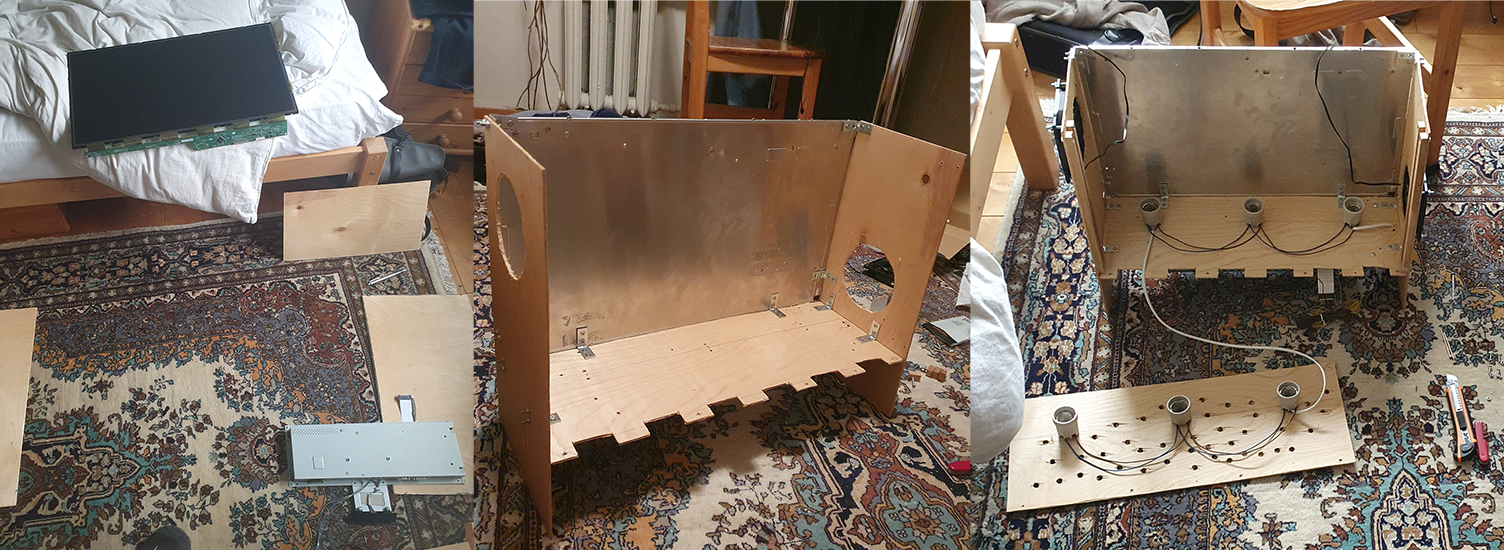
First I bought a second hand monitor (LG 24gm77-b) and disassembled it and then measured how big the box and the seams and everything should be. Dissasembly can be tricky because there are no real guides available for most monitors. Atleast there wasn't one for mine. Since most consumer electronics are not really meant to be serviced, difficulties are to be expected. For example the LCD panel and its rim were glued to the plastic frame of the starting monitor. Used a hairdryer to soften the glue and get the panel out.
I realized I could use the reflector panel in the back of the LCD to do the reflecting for me. This was really useful as I didn’t have to worry about having too much light get absorbed by the inside of the box. I then cut out pieces of 4mm plywood and assembled them together with standard 4mm bolts and nuts. I soldered the fan cords on to the monitors motherboards 12V outlet and connected them to a switch on the side. I connected the bulbs to each other with wire and soldered it to the second switch on the side. The power cable for the bulbs is separate from the monitors cable. I think in theory one could easily solder the cable for the lightbulbs to the motherboard aswell, but I only thought about this later.
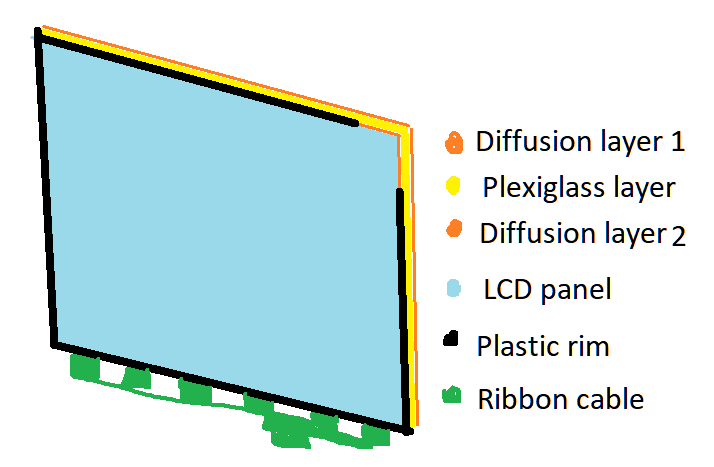
I bolted the motherboard to the underside of the box, slid in the LCD panel with the frame, the plexiglass and diffusion layers into the seams on the side.
I connected it up and tested. It was here that I ran into my major problem: I had damaged the ribbon cable of the LCD panel and there were coloured lines on the screen.
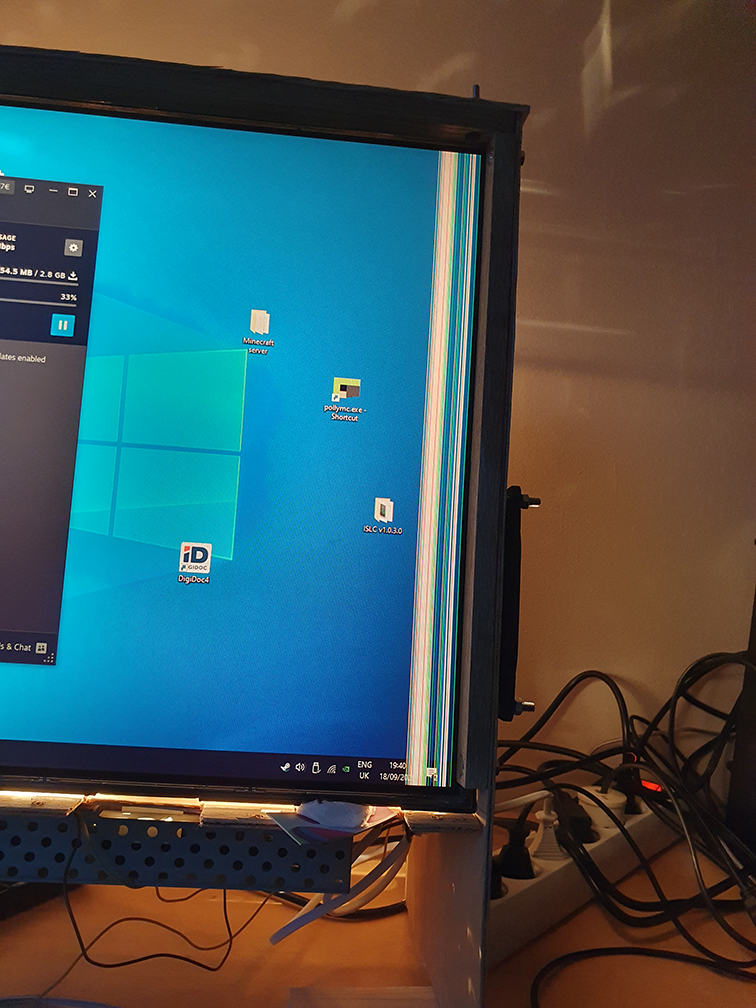
I’m still not sure when exactly this happened but since the ribbon cable is a very delicate artifact it could have been at any point really. Also because the ribbon cable inside the original monitor came from the top and I put it on the bottom, the whole screen was upside down to begin with. Not a huge problem since the OS can be flipped, but my bios is still upside down, as far as I’m aware there is no way to change it.
Saddened by this turn of events I decided to try again. Luckily I found the exact same monitor on a marketplace. This time I was extra careful with the disassembly. And the second time around it worked! The diffusion is also very good, I think partly because I used diffusion layers from both of the monitors that went into this, but im not sure, since the diffusion layer 2 is right next to the panel, so theres almost no distance for light to dissipate over.
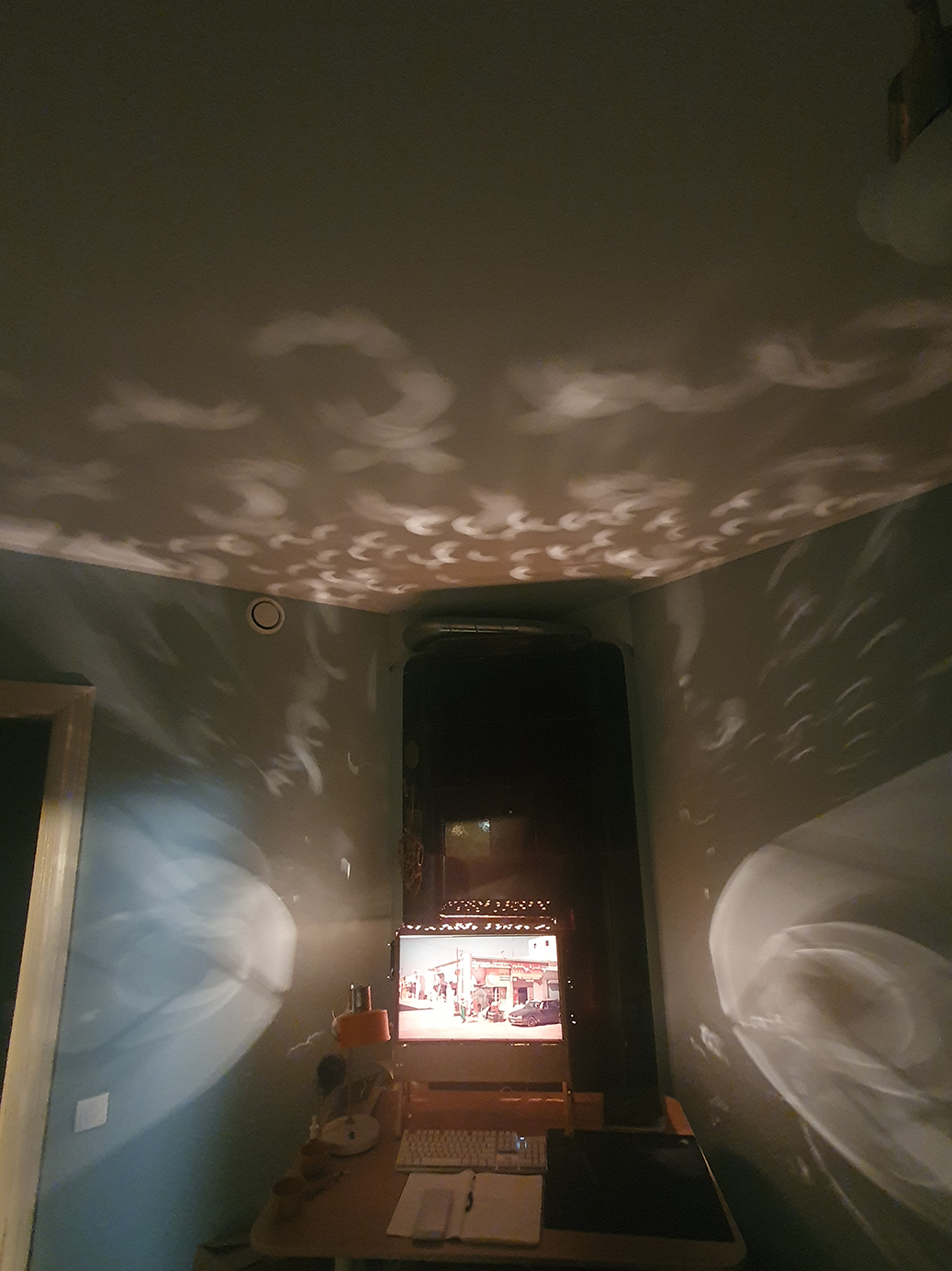
I’m currently using 6X E27 40W bulbs for light. Because I made rough holes to the top for better air exchange there is an added benefit of a light show to the ceiling:
Feel welcome to ask me anything about the process, I’m sure this isn’t the clearest of posts as I am not used to writing in this style or language.